
Troubleshooting
Most problems have a quick check: products not found, AI not answering, the chat button not showing. Start with Troubleshooting.
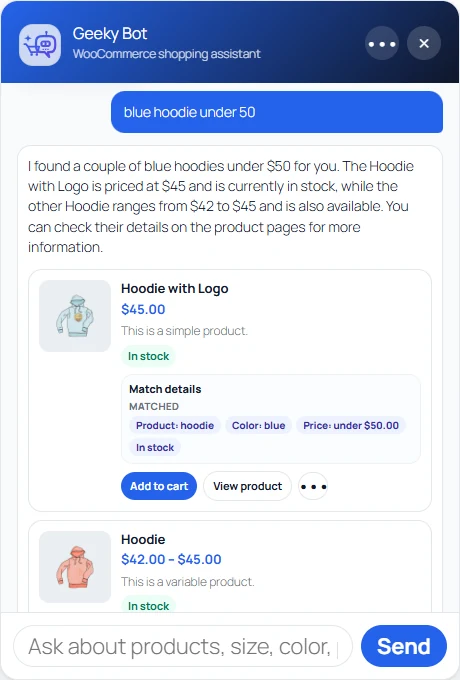
Install Geeky Bot from WordPress.org on a store with WooCommerce active.
Open the Setup screen. It checks your store and walks you through seven steps, including the product search index.
Choose how answers are written. Local mode uses no AI and costs nothing. Zywrap or OpenAI write fuller replies from the same store data.
Try it before shoppers do with the Guided Demo, which builds example questions from your own products.
Commerce Pro is the paid add-on that turns product answers into buying actions inside the chat.
Troubleshooting
Most problems have a quick check: products not found, AI not answering, the chat button not showing. Start with Troubleshooting.
Privacy and data
What Geeky Bot stores, for how long, and what it sends to outside services. See Privacy and data.
Support
Ask on the WordPress.org forum, or open a ticket on geekybot.com.
Developers
Hooks to change answers, search and the chat, and the wp-config constants.